
Praise the Lord, everyone, and welcome back to the Holy Tech Studio blog!
If you have been following my content for a while, you are probably in for a bit of a shock today. You might be wondering, “Brother, you’ve been hiding behind a mask all this time—why the sudden change?”
The truth is, this decision is entirely inspired by you and your feedback. Starting today, I am officially retiring the mask! Moving forward, I want to connect with you all face-to-face. I consider this a positive step for our community, but I would love to hear your thoughts. Do you prefer the mystery of the mask, or do you like this new, personal approach? Drop a comment below and let me know!
Beyond the face reveal, I have some exciting updates and a highly requested tutorial to share with you today. Let’s dive right in.
📜 Update 1: Bringing Back Daily Promise Cards
I recently asked our community how many of you would like to see Daily Promise Cards return to a regular schedule. The response was overwhelming! So many brothers and sisters reached out, asking for these daily updates.
I want to apologize for the recent delays; balancing my schedule to provide daily content has been a bit of a challenge. However, your encouragement means the world to me. If you truly want to see the Daily Promise Cards every single day, let me know in the comments. Your continued interest is the motivation I need to make this a daily reality!
🎮 Update 2: We Need Beta Testers for “Path of Light”
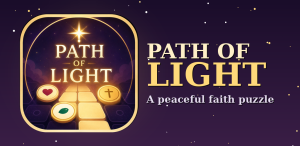
I am incredibly thrilled to announce that we have developed a brand-new mobile game called Path of Light.
This is a 100% Christian-themed game designed to be uplifting, fun, and completely free. (We also have another game in development called Bloom Word Garden, but that is a story for another day!)
To officially publish Path of Light on the Google Play Store, we have to meet a specific developer requirement: we need 12 official beta testers. We currently have 2, which means we are looking for 10 more people to help us out!
How You Can Help Test the Game
Whether you are a hardcore gamer or just someone looking for a positive way to pass the time, we would love to have you. The game has no age restrictions and even rewards you with beautiful Bible verses when you complete levels.
Here is how you can get exclusive early access:
-
Find my WhatsApp Number (linked at the bottom of this post or in the comments).
-
Send me a message containing the exact Email ID you use for your Google Play Store account.
-
I will add your email to our developer backend.
-
Once you are added, I will send you a direct link to download and play the game!
🎨 Tutorial: How to Design Professional AI Promise Posters
Now for the main event! Many of you have asked how I create the high-quality, professional Promise Cards shared on our platforms. Today, I am giving you the exact blueprint using AI and ChatGPT.
Step 1: Grab the Custom Prompts
First, head over to our official website: [holytechstudio.daily365a.com].
(Note: I set up this specific subdomain so our community has a dedicated space!)
Once you are on the site, wait for the brief 30-second timer to finish. The premium AI prompts will appear automatically. Simply copy the prompt you want to use and paste it into ChatGPT.
Step 2: Customize Your Design
Before hitting generate, you need to tailor the prompt to your specific ministry. Here is a breakdown of what you can change:
| Customization Area | How to Edit It |
| Aspect Ratio | The default is 4:5 (perfect for social media posters). You can change this to 16:9, 9:16, or 1:1. |
| Color Theme | Currently set to a “Luxury Color Theme.” Simply type in your preferred color palette. |
| Background | It defaults to “Majestic Mountains,” but you can change it to any scenery or texture you prefer. |
| Header & Title | Change “Praise the Lord” to your preferred language (English, Telugu, etc.). The main title is set to “Today’s Promise from God.” |
| Ministry Details | Swap out “Holy Tech Studio” for your Ministry Name. Update the Pastor’s name (e.g., Pastor Daniel Raj). |
| The Bible Verse | Insert the specific scripture and reference you want to highlight for the day. |
Design Pro-Tip: Inside the prompt, I included a strict rule: “Do not place inside a circle.” This prevents the AI from generating those cliché, cartoonish layouts and ensures your poster looks like it was crafted by a high-end graphic designer.
Step 3: Generate and Polish
For a Single Pastor Poster:
Before clicking generate in ChatGPT, click the ‘+’ button in the chat box to upload your reference images. Upload your Ministry Logo and the Pastor’s Photo. The AI will seamlessly blend these into the design.
For a Couple’s Poster (Pastor & Wife):
If your ministry is run by a husband and wife, use the second prompt provided on the website. You will need to update the names for both individuals and upload three photos: The Logo, the Pastor’s photo, and the Wife’s photo.
(Optional: If you do not want the date printed at the bottom of your poster, simply delete the “Footer Date Strip” text from the prompt before generating!)
Thank you so much for reading today’s post and for your endless support of Holy Tech Studio. If you found this tutorial helpful or if you are excited about the new game, please share this blog with others in the ministry.
I look forward to chatting with you in the comments. Praise the Lord, and may God bless you all!
Prompt -1
Prompt is Locked
Click the button below and wait 30 seconds to reveal the prompt.
Prompt -2
Prompt is Locked
Click the button below and wait 30 seconds to reveal the prompt.
